
Talking Dog AI: Make Your Pet Say Anything
Turn one pet photo into a talking video in minutes: type a script, pick a voice, and your dog or cat says it with lip-synced mouth and expression. Free to try in your browser—no install.
Popular searches: talking dog ai · ai pet talking · talking pet ai · ai talking pet · pet talking video
@aidogdancingapp
My dog has something to say 😂🐶🎤 #talkingdog #aipets #aidogdancing
Original Sound
Create Your Talking Pet Video
Upload a pet photo, type what it should say, pick a voice — and get a lip-synced talking video in minutes.
Your talking pet video will appear here
Pick a front-facing photo, write a short line, and hit Generate. Try an example photo free.
Reference Image
Upload your own photo
🎁 Sign up and get 60 free credits
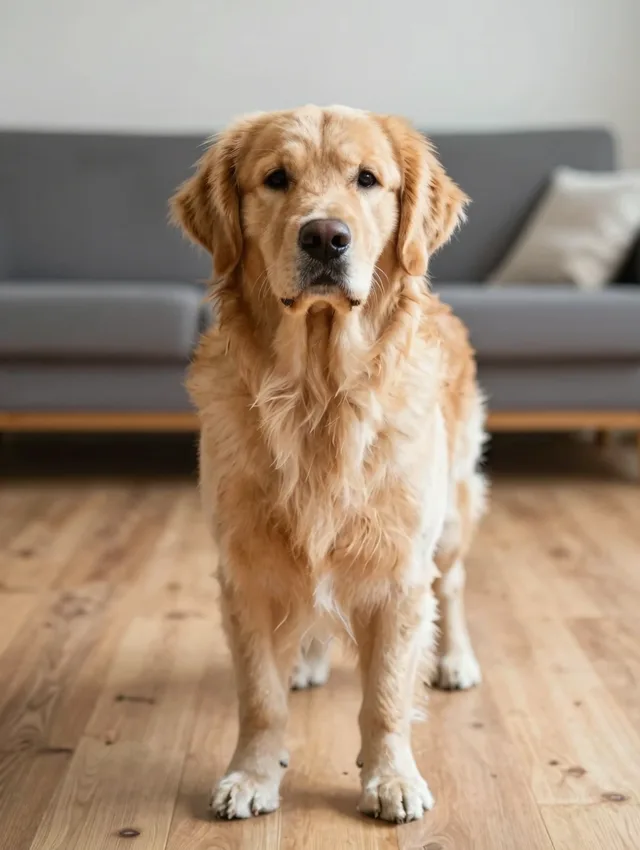 Good
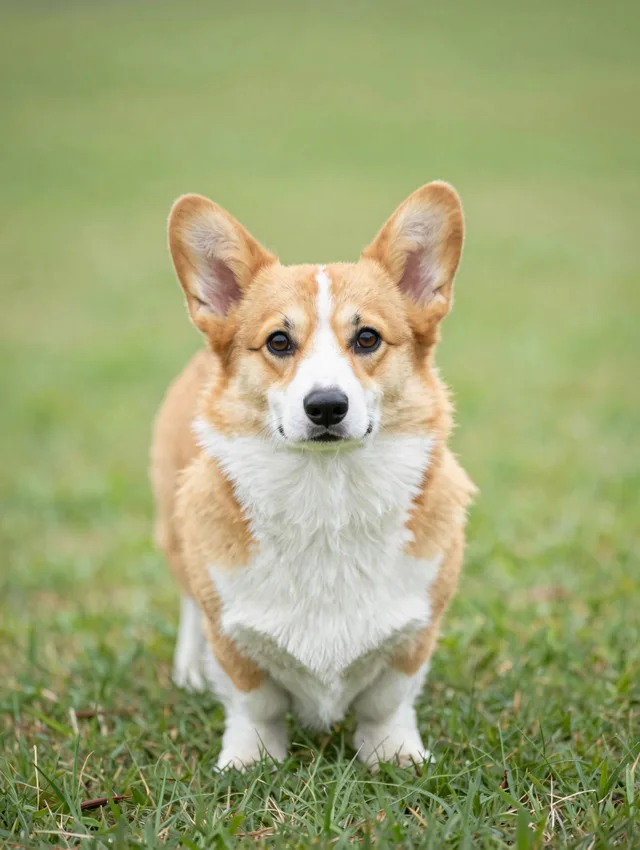 Good
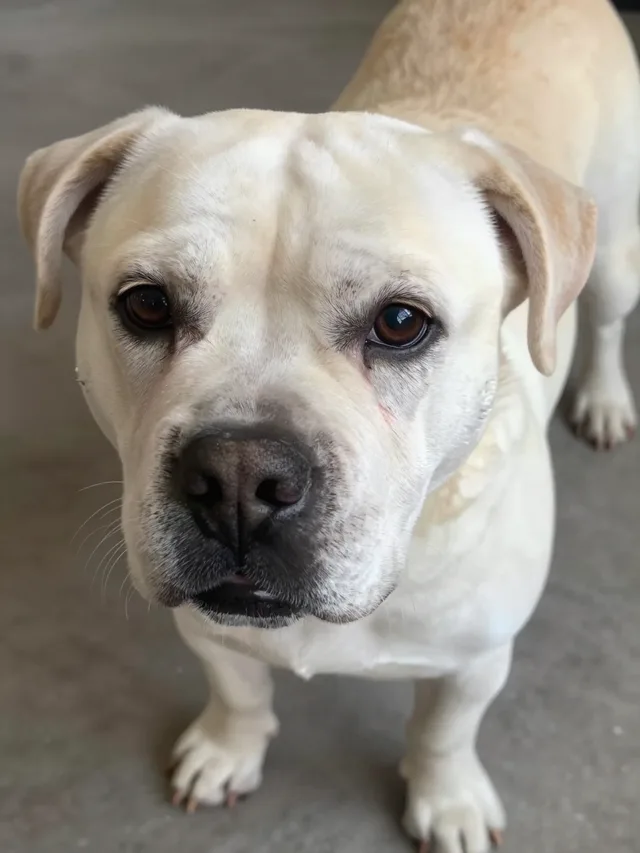 Avoid
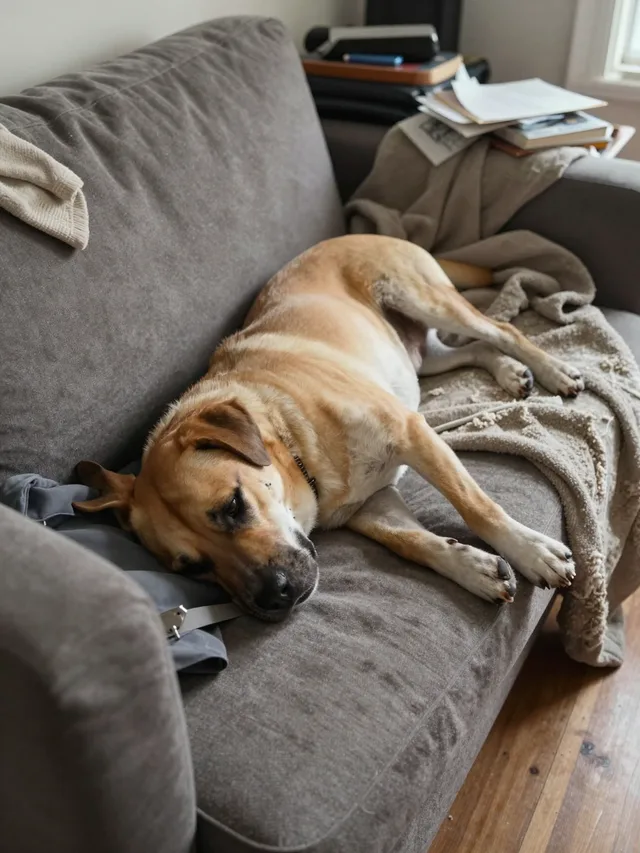 Avoid
Best: centered dog, full body, front-facing, clear paws/legs, good lighting.
Avoid: head-only, lying down, hidden limbs, blur, tiny subject, messy background.
What should your pet say?
Pick a voice
What people mean by "talking dog ai"
A talking dog AI turns a single pet photo into a video where the pet speaks words you wrote — the mouth, head, and expression move in sync with an AI voice. People use it for birthday greetings, funny announcements, pet 'interviews', and social posts their own pet stars in.
AIDogDancing.app makes it easy:
- Upload a clear, front-facing dog or cat photo
- Type any short script and pick a voice
- Generate the lip-synced talking video automatically
- Download the MP4 and share it anywhere
It is the natural sibling of our dancing videos: same photo, same credits — but instead of dancing to a template, your pet talks to the camera.
How to Make a Talking Pet Video
Four steps from a still photo to a speaking pet — no editing skills, no app install.
Upload a Pet Photo
Choose a clear, front-facing photo of your dog or cat — a visible face is what makes the lip-sync convincing.
Type the Script & Pick a Voice
Write a short line (up to about 15 seconds of speech) and choose one of the built-in voices.
Generate with AI
We voice your script and lip-sync your pet's mouth, head, and expression to every word.
Download & Share
Download the MP4 and post it to TikTok, Reels, or Shorts — or send it straight to friends and family.
Rather see your pet move? Make an AI dog dancing video → or a loopable dancing GIF →
FAQ: Talking Dog AI (Free Online)
Answers about making your pet talk — scripts, voices, credits, and photo tips.
How do I make my dog talk with AI?
Upload a clear, front-facing photo of your dog, type what it should say, pick a voice, and click Generate. The AI voices your script and lip-syncs your pet's mouth and expression to the words, then you download the MP4.
Is the talking dog AI free?
You can start free: new accounts get 60 credits. With an example photo you can try a short talking clip (around 6 seconds of speech) before deciding on a plan. Uploading your own photo is a paid-plan feature, the same as our dancing videos.
How much does a talking pet video cost?
Talking videos cost 9 credits per second of speech. A typical 10-second line costs 90 credits. Your exact cost is shown on the Generate button before you confirm.
How long can the speech be?
Up to about 15 seconds per video — roughly 200 characters of text. Short lines work best: a greeting, a birthday wish, a funny announcement. For a longer message, generate a few clips and stitch them together.
Can my cat or another pet talk too?
Yes. The talking generator works with dogs, cats, and other pets — any clear photo with a visible face can speak your script.
Can I use my own recorded voice instead?
Right now the voice comes from built-in text-to-speech voices: you type the script and pick a voice. Your own recordings are not supported yet.
What photo works best for a talking video?
A sharp, well-lit photo where your pet faces the camera and the mouth area is visible. Front-facing beats full-body here — the clearer the face, the better the lip-sync.
How long does generation take?
Most talking videos are ready in a few minutes. The voice is prepared first, then the lip-sync renders — keep the page open and your video will appear in the preview panel.
What if my talking video fails?
If a generation fails, your credits are automatically refunded in full — the same guarantee as our dancing videos. Just try again with a clearer photo or a shorter script.
Give Your Pet a Voice
Upload a photo, type one funny line, and hear your pet say it. Your first short clip is free with an example photo.